
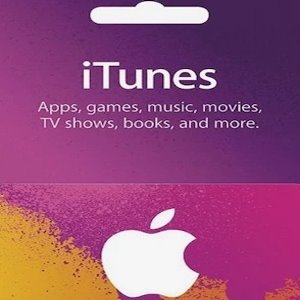
Apple iTunes Gift Card 20 GBP – iTunes Key – United Kingdom
Looking for a convenient way to purchase a United Kingdom Apple gift card from Bangladesh? The Apple iTunes Gift Card 20 GBP – United Kingdom is a digital prepaid gift card that allows eligible users to add £20 GBP to their UK Apple Account balance and pay for supported digital purchases across Apple’s ecosystem.
Whether you want to discover premium applications, enjoy mobile games, purchase digital entertainment, or manage eligible Apple services, an Apple gift card provides a convenient way to add funds to your account. It is also a useful option for managing digital spending through a prepaid balance rather than relying on an international payment card for every purchase.
BuyiTunesGiftCardBD makes purchasing UK Apple gift cards more convenient for customers in Bangladesh. You can order online and use familiar local payment methods, including bKash, Rocket, and Nagad.
What Is an Apple iTunes Gift Card 20 GBP?
The Apple iTunes Gift Card 20 GBP is a digital prepaid gift card with a value of twenty British pounds. It is intended for eligible Apple Accounts using the United Kingdom storefront.
After successfully redeeming the gift card, the £20 value is added to your Apple Account balance. You can then use the available funds for eligible applications, games, digital content, and other purchases supported by Apple in the UK.
The 20 GBP denomination is a practical choice for customers who want a higher prepaid balance for digital entertainment and everyday Apple purchases. It can also be a thoughtful digital gift for friends or family members who use a compatible UK Apple Account.
Before purchasing, remember that Apple gift cards are region-specific. This product is intended for the United Kingdom storefront, so your Apple Account must meet Apple’s UK redemption requirements.
What Can You Buy with an Apple Gift Card?
An Apple Account balance provides access to different eligible digital products and services. Available purchases depend on Apple’s current policies, regional availability, and your account eligibility.
1. Premium Applications from the App Store
Discover applications for productivity, education, entertainment, creativity, and everyday activities. Your Apple Account balance can be used for eligible paid applications available through the UK App Store.
Whether you need useful tools for work, creative applications, or premium software, a prepaid balance offers a convenient way to pay for supported downloads.
2. Mobile Games and In-App Purchases
Explore mobile games across different genres, including adventure, racing, simulation, strategy, and casual gaming.
Your redeemed balance may also be used for eligible in-app purchases and supported digital game content. This gives users more flexibility when purchasing available gaming content through Apple’s ecosystem.
3. Music and Digital Entertainment
Enjoy Apple’s digital entertainment ecosystem. Depending on regional availability and account eligibility, your Apple Account balance may be used for supported music and entertainment purchases.
4. Digital Books and Reading Content
Discover digital books and other reading materials through Apple’s supported platforms. Your prepaid balance can make eligible digital purchases more convenient.
5. Movies and Television Content
Browse supported movies and television content through Apple’s digital storefronts. Available titles and purchasing options may vary according to the UK region.
6. Eligible Apple Services and Subscriptions
Your Apple Account balance may also be used toward eligible Apple subscriptions and supported services, depending on the specific subscription and Apple’s current payment policies.
Some subscriptions or purchases may require an additional valid payment method.
Why Choose the Apple iTunes Gift Card 20 GBP?
The £20 denomination offers a useful prepaid balance for customers who want more flexibility when purchasing digital products through Apple’s UK storefront.
Here are some practical benefits:
- £20 prepaid value: Add twenty British pounds to an eligible UK Apple Account.
- Convenient digital format: Purchase online without waiting for physical international delivery.
- Flexible spending: Use your balance for supported apps, games, and digital purchases.
- Spending management: Keep track of your digital purchases with a selected prepaid amount.
- Useful gifting option: Send Apple digital credit to someone with a compatible UK account.
- Multiple entertainment options: Access eligible applications, games, books, and digital content.
- Simple redemption: Redeem the code through Apple’s supported process.
- Local payment convenience: Purchase from Bangladesh using available payment options such as bKash, Rocket, and Nagad.
Whether you want to purchase premium applications, explore mobile games, or maintain a prepaid Apple balance, the 20 GBP gift card provides a practical option.
Buy Apple iTunes Gift Card 20 GBP in Bangladesh
Purchasing a UK-region Apple gift card from Bangladesh can be challenging when international payment options are limited. BuyiTunesGiftCardBD provides a convenient online purchasing option for customers who need digital credit for eligible UK Apple Accounts.
You can order the Apple iTunes Gift Card 20 GBP online without arranging international physical delivery. The digital format makes purchasing easier for customers who prefer online shopping.
BuyiTunesGiftCardBD focuses on providing a convenient digital gift card shopping experience for customers in Bangladesh.
Whether you need Apple credit for applications, games, digital entertainment, or other eligible purchases, this gift card offers a straightforward way to add prepaid value to your compatible UK Apple Account.
Convenient Digital Shopping for Bangladesh
Customers can purchase international digital gift cards using familiar local payment services rather than depending entirely on international bank cards.
The ordering process is simple:
- Find the Apple iTunes Gift Card 20 GBP product.
- Check the denomination and United Kingdom region.
- Add the product to your shopping cart.
- Select an available local payment method.
- Complete your payment according to the displayed instructions.
- Follow the store’s delivery instructions to receive your digital code.
After receiving your code, redeem it through Apple’s supported process.
Available Payment Methods at BuyiTunesGiftCardBD
BuyiTunesGiftCardBD aims to make online digital gift card purchases more accessible for customers in Bangladesh with familiar local payment options.
bKash
Use bKash to complete your Apple gift card purchase through the available checkout or payment instructions. It is a familiar mobile financial service for customers who regularly make online payments in Bangladesh.
Rocket
Rocket provides another convenient local payment option for customers purchasing digital products online. Follow the displayed instructions to complete your order.
Nagad
Customers can also use Nagad when it is available for their selected order. Follow the provided payment instructions and verify the transaction details before confirming your purchase.
These local payment options help simplify the purchasing process for customers who want to buy international digital products from Bangladesh.
How to Purchase Apple iTunes Gift Card 20 GBP
Buying your UK Apple gift card from BuyiTunesGiftCardBD is straightforward.
Step 1: Find the Product
Visit BuyiTunesGiftCardBD and locate Apple iTunes Gift Card 20 GBP – iTunes Key – United Kingdom.
Step 2: Verify the Denomination
Check that the product is worth £20 GBP and is intended for the UK Apple storefront.
Step 3: Add to Cart
Select the required quantity and proceed to checkout.
Step 4: Select Your Payment Method
Choose an available payment option, such as bKash, Rocket, or Nagad.
Step 5: Complete Your Payment
Follow the displayed instructions and verify your payment amount and order information.
Step 6: Receive Your Digital Code
After your payment and order have been verified, follow the store’s delivery instructions to receive your digital gift card code.
Step 7: Redeem Your Gift Card
Use Apple’s supported redemption process to add the £20 value to your eligible UK Apple Account.
How to Redeem an Apple iTunes Gift Card 20 GBP
Once you receive your digital gift card code, you can redeem it through a compatible Apple device.
Redeem on iPhone or iPad
- Open the App Store on your device.
- Tap your profile picture.
- Select the option to redeem a gift card or code.
- Choose the manual entry option or scan the code when supported.
- Enter your gift card code carefully.
- Follow the on-screen instructions to complete redemption.
After successful redemption, the £20 value will be added to your Apple Account balance.
Redeem on Mac
- Open the App Store application.
- Sign in to your eligible Apple Account.
- Locate the Redeem Gift Card option.
- Enter your digital gift card code.
- Follow the instructions to complete the process.
Apple may update its redemption interface and instructions over time. If you experience any difficulties, consult Apple’s official support guidance.
Important Information Before Purchasing
Before ordering the Apple iTunes Gift Card 20 GBP, review the following information.
Gift Card Region: This product is intended for the United Kingdom Apple storefront.
Currency and Value: The denomination is £20 GBP.
Account Compatibility: Your Apple Account must meet Apple’s UK regional redemption requirements.
Digital Product: This is a digital gift card, not a physical card.
Redemption: The code must be redeemed through Apple’s supported process.
Account Balance: After successful redemption, the value is added to your eligible Apple Account balance.
Regional Restrictions: A UK gift card should not be purchased with the expectation that it will work on a Bangladesh, USA, or other regional Apple Account.
Code Security: Keep your unused gift card code private. Never share it with unknown individuals or unverified websites.
Refund Policy: Review the applicable digital product and refund policy before completing your order.
Checking these details before purchasing can help prevent regional compatibility problems and ensure that you select the correct gift card.
Why Buy from BuyiTunesGiftCardBD?
Choosing the right digital gift card seller is important when purchasing region-specific Apple products. Customers want clear product information, convenient payment options, and a straightforward ordering experience.
BuyiTunesGiftCardBD aims to make purchasing Apple digital gift cards easier for customers in Bangladesh.
Bangladesh-Focused Shopping Experience
An online purchasing experience designed around the needs of customers in Bangladesh.
Convenient Local Payment Options
Use available local payment methods, including bKash, Rocket, and Nagad.
Clear Product Information
Understand the gift card denomination, currency, and intended region before ordering.
Digital Purchasing Convenience
Purchase online without needing physical international delivery.
Multiple Gift Card Denominations
Choose from available Apple gift card values according to your digital spending requirements.
Straightforward Ordering Process
Follow the checkout and delivery instructions to complete your purchase.
BuyiTunesGiftCardBD focuses on providing a convenient shopping experience for customers who use Apple’s digital ecosystem and need region-specific prepaid credit.
Frequently Asked Questions
1. What is the Apple iTunes Gift Card 20 GBP?
It is a digital prepaid gift card worth twenty British pounds. It is intended for eligible Apple Accounts using the United Kingdom storefront.
2. Can I purchase an Apple iTunes Gift Card 20 GBP from Bangladesh?
Yes. You can order through BuyiTunesGiftCardBD using the available local payment methods, including bKash, Rocket, and Nagad.
3. Can I redeem this UK gift card on a Bangladesh Apple Account?
This gift card is intended for the UK storefront. Your Apple Account must meet Apple’s UK regional redemption requirements. A Bangladesh-region account should not be assumed to be compatible.
4. Can I use this gift card on a USA Apple Account?
No. This product is intended for the United Kingdom region and is not designed for redemption on a USA-region Apple Account.
5. What can I purchase with a £20 Apple gift card?
You can use the redeemed balance for eligible applications, games, digital content, and supported Apple purchases available through the UK storefront.
6. Can I buy mobile games with this gift card?
Yes. Your Apple Account balance may be used for eligible paid games and supported in-app purchases available through the App Store.
7. Can I use the £20 balance for Apple subscriptions?
Apple Account balance may be used toward eligible subscriptions depending on the service, account eligibility, and Apple’s current payment policies. Some subscriptions may require another valid payment method.
8. Is this a physical or digital gift card?
This is a digital gift card. You receive a redemption code according to the store’s order delivery process.
9. How do I redeem my Apple gift card?
Open the App Store, tap your profile picture, select the redeem option, enter your code, and follow the on-screen instructions.
10. Can I transfer the redeemed balance to another Apple Account?
Apple Account balances generally cannot be transferred between accounts. Review Apple’s current account balance terms before redeeming.
11. Is the 20 GBP denomination suitable for gifting?
Yes. It is a convenient digital gift option for someone who has an eligible UK Apple Account and wants prepaid Apple credit.
12. Which payment methods are available at BuyiTunesGiftCardBD?
Available local payment options include bKash, Rocket, and Nagad, depending on the options displayed during checkout.
Purchase Apple iTunes Gift Card 20 GBP from BuyiTunesGiftCardBD
The Apple iTunes Gift Card 20 GBP – iTunes Key – United Kingdom is a convenient prepaid option for adding £20 to an eligible UK Apple Account. Whether you want to purchase premium applications, explore mobile games, enjoy digital entertainment, or manage supported Apple purchases, this gift card offers a practical way to add digital credit.
For customers in Bangladesh, BuyiTunesGiftCardBD provides a convenient online purchasing experience with familiar local payment options, including bKash, Rocket, and Nagad.
Choose the correct denomination, verify your Apple Account region, and enjoy convenient digital gift card shopping with BuyiTunesGiftCardBD.
Reviews
There are no reviews yet.